Watch & Clock Repair Solution
Repair shop software built for watch & clock shops.
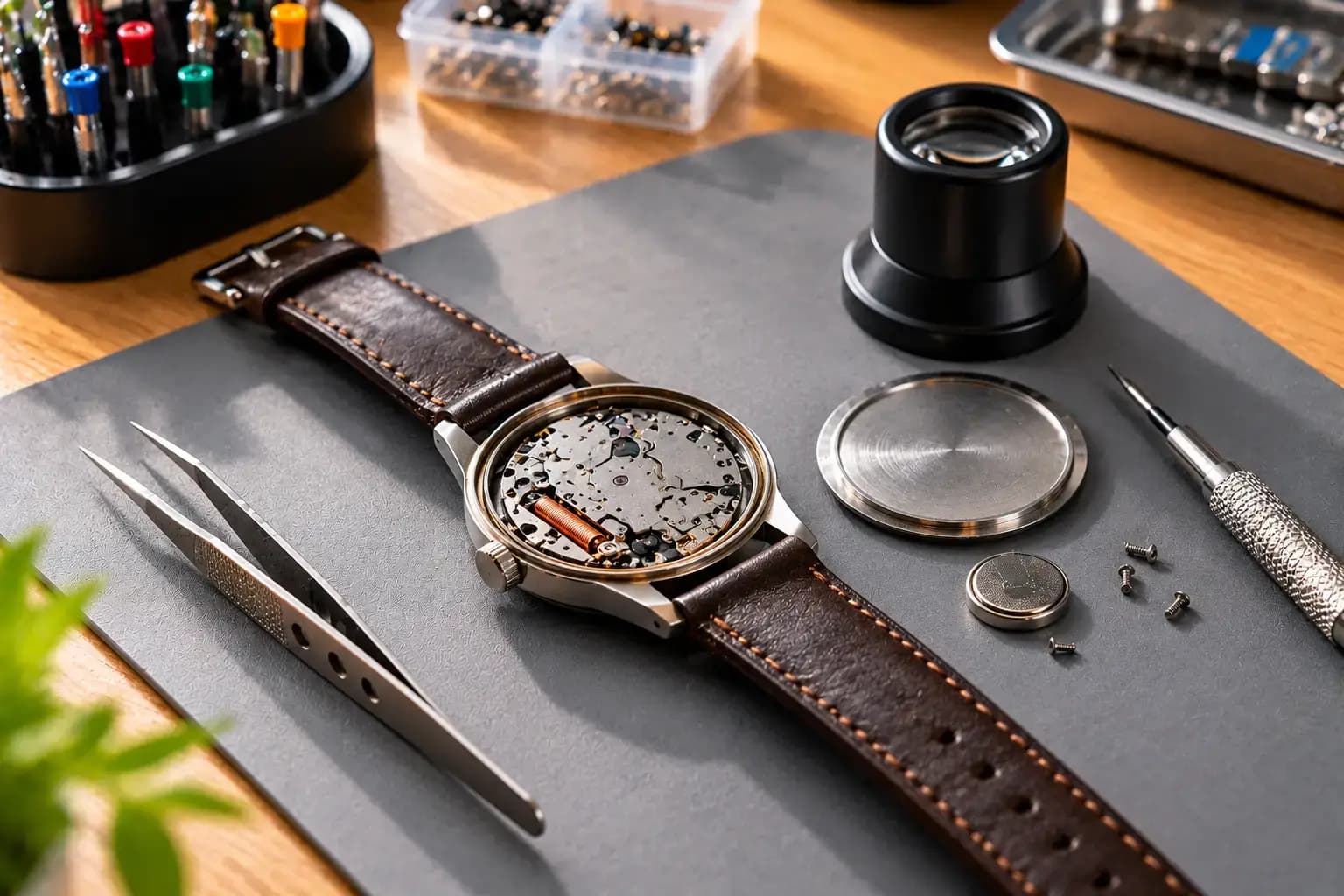
Most watch jobs are small — a battery, a strap, a glass — but there are many of them, and each one belongs to someone. Kiwikit gives every watch a job card with its serial number, a photo at intake, a WhatsApp message when it is ready and a bill at the counter.
Device types
6 ready
Analog, digital, smart, clocks
Labour items
10
Battery, strap, glass, oiling…
Job cards
Unlimited
Full history per watch
Billing
GST & plain
Thermal or A4
What is Watch & Clock Repair software?
Watch repair shop software keeps a record of every watch or clock that comes in — the customer, brand, model and serial number, the problem, what was handed over (box, warranty card, strap) and the estimate — and follows it through to delivery and the bill. Kiwikit does this in the browser, with WhatsApp updates, GST or plain bills, and stock of batteries, straps and spare parts.
Updated
Built for the watch counter
Small jobs, many of them, all on record
A busy watch counter takes in dozens of battery and strap jobs a day and a few long movement repairs. Kiwikit keeps both kinds straight.
Serial number on every job card
Watches have no IMEI, so the job card for a watch asks for the serial number instead and hides the phone-only fields. Search an old repair by serial number, customer or job number.
Intake photos of the dial and case
Photograph the glass, case and strap before you open the watch, so a scratch that was already there is never argued over at delivery.
What the customer handed over
Tick the original box, warranty card, purchase bill, spare strap or smart-watch charger on the job card, and hand back exactly the same things.
Ready-made labour charges
Battery replacement, strap change, glass replacement, servicing and oiling, water-resistance test, link adjustment and cleaning are ready as labour items with your own prices.
“Your watch is ready” on WhatsApp
The customer gets a message when the job is ready and can open a private link to see the status and the balance, instead of calling the shop.
Batteries, straps and parts in stock
Keep stock of watch cells, straps and bands, glass, crowns and stems, movements and buckles, and sell new watches and clocks from the same system.
Ready on day one
What your shop gets when you pick Watch & Clock Repair
At first login you tell Kiwikit what kind of shop you run. It then loads these device types, their brands and 38 models, the common problems, labour charges and stock categories — and the job card shows only the fields your shop needs. You can edit or add to every list, pick more than one kind of shop, and remove one later without losing data.
Device types
- Analog Watch
- Digital Watch
- Smart Watch
- Wall Clock
- Table Clock
- Alarm Clock
Common problems
- Watch not working
- Battery replacement
- Time not keeping
- Broken glass
- Damaged strap
- Water damage
- Crown problem
- Buttons not working
- Display problem
- Charging problem
- Pairing problem
Labour charges
- Battery replacement
- Strap change
- Glass replacement
- Servicing & oiling
- Water resistance test
- Link adjustment
- Cleaning
- Time adjustment
- Repair labour
- Smart watch diagnosis
Stock categories
- Wrist watches
- Clocks
- Straps & bands
- Watch batteries
- Glass
- Crowns & stems
- Movements
- Buckles & spring bars
Clocks too
Wall, table and alarm clocks, not just wrist watches
A watch shop also repairs clocks. Wall clocks, table clocks and alarm clocks are device types of their own, with their own brands, so the job card list shows exactly what is on the bench.
Smart watches come in with different problems — charging, pairing, display — and those are ready on the list next to the classic “time not keeping” and “crown problem”, so the counter picks rather than types.
How it works
One job, five clear stages.
- 01
Intake
Device type, brand, serial number, problem, photos and what was handed over.
- 02
Estimate
Labour and parts added; the customer approves before you open the case.
- 03
Repair
Assigned to the technician who works on movements or smart watches.
- 04
Ready
WhatsApp message sent; the tracking link shows the balance.
- 05
Delivery
Box and strap handed back, bill printed, warranty noted.
Inside the software
The actual screens, set up for Watch & Clock Repair
Not mockups — real Kiwikit screens running on a sample shop with made-up customers.
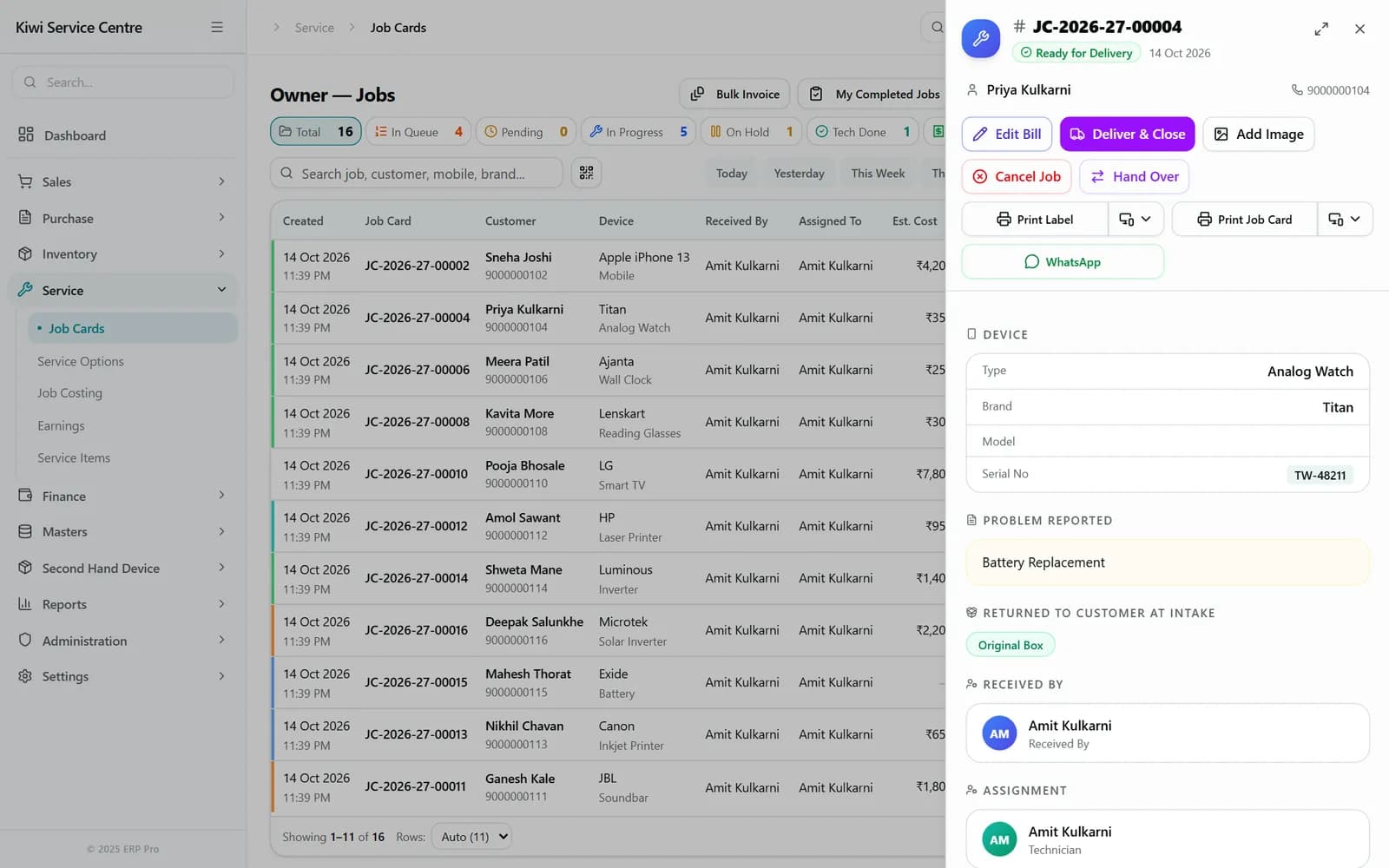
Every job on one card
Open any job from the list: the device, its serial number, the problem and what the customer handed over, with every action one tap away.
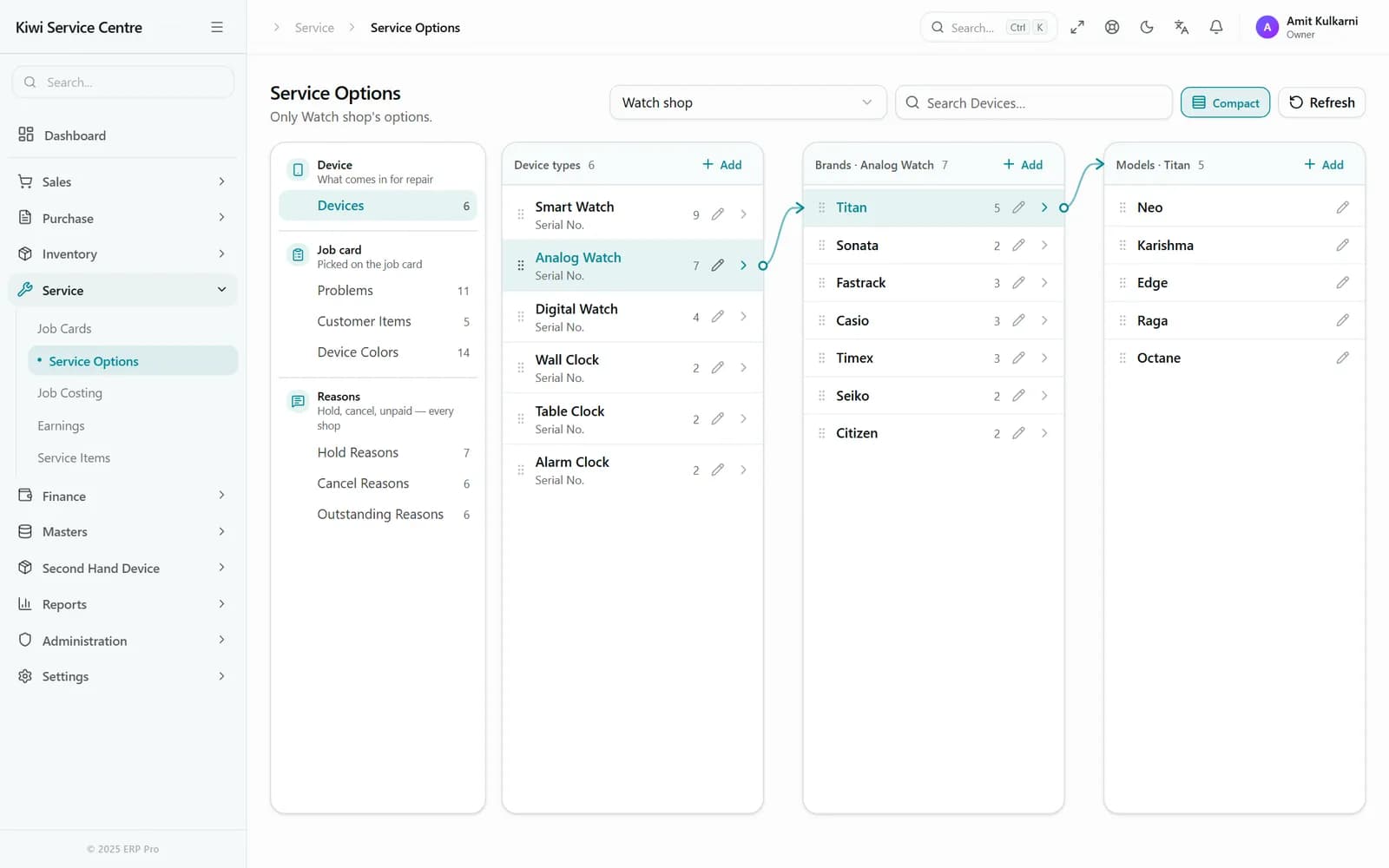
Your devices, brands and models, ready
Device types, brands and models for Watch & Clock Repair come loaded and linked, so the counter picks instead of typing. Edit or add to any list.
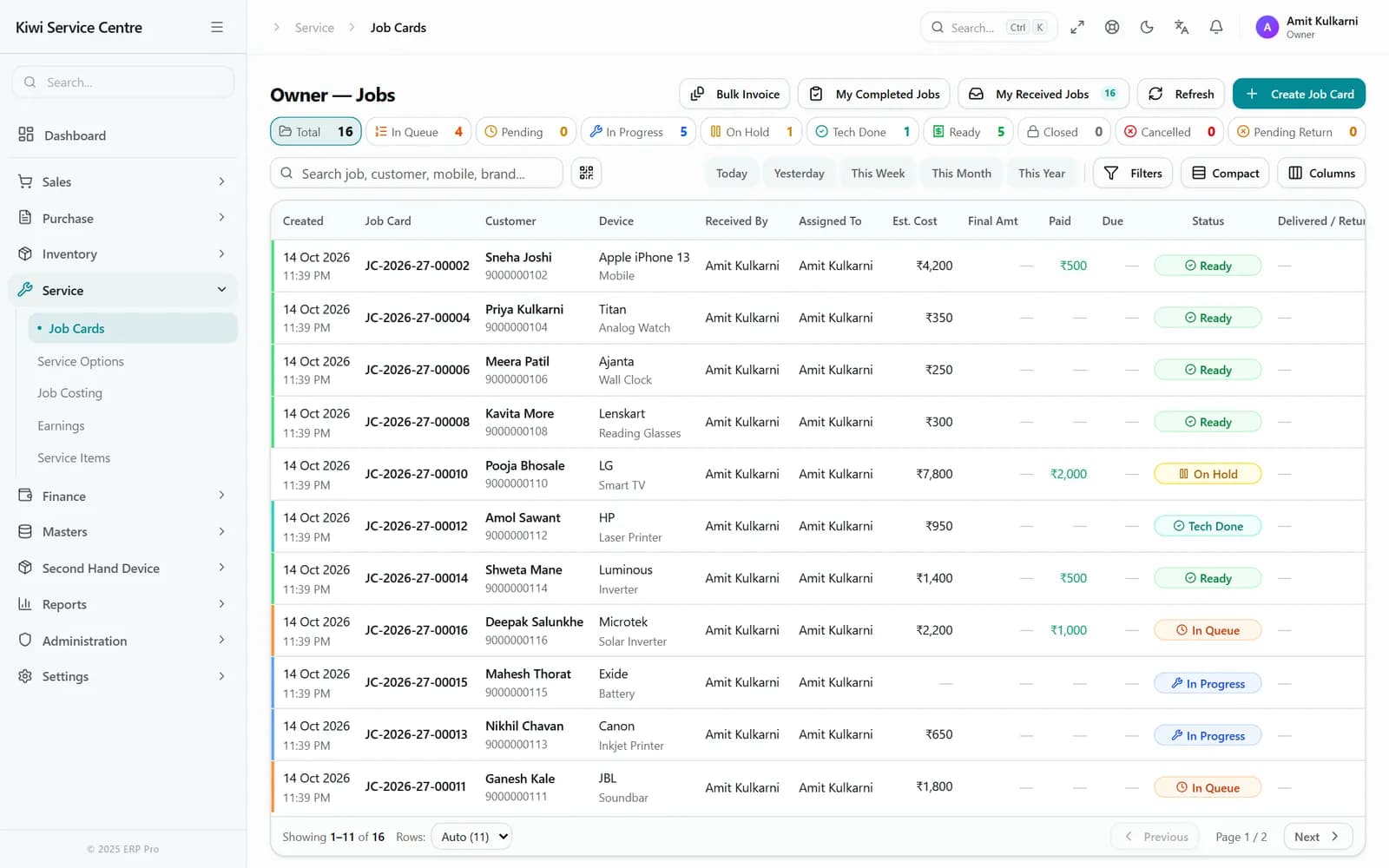
Every job on one screen
The job card list is the same for every kind of shop: status cards across the top double as filters, and every row shows the customer, the device, the technician and what is still due.
- Search by serial number, customer, mobile number or job number
- Filter by Pending, In Progress, Ready, Delivered or Cancelled
- Advance taken at intake is deducted on the final bill
- GST or plain bills, on a thermal printer or A4
One system, not five apps
What runs alongside your repairs
Stock & spare parts
Parts and products with batches, serial numbers and more than one warehouse. Adjustments, transfers and reconciliation are built in, so the shelf and the system agree.
Purchase & suppliers
Purchase orders, supplier bills and receipts, returns and debit notes. Supplier balances stay linked to what they supplied.
Sales counter
Quotations, invoices, delivery notes, returns and credit notes for what you sell over the counter, in the same system as the repairs.
Accounting & GST
Cash book, ledger, expenses, bank accounts and reconciliation, receivables and payables — the books are a by-product of daily work.
Technicians & profit
Assign each job to a technician and see revenue, parts cost and profit per job and per technician.
CRM & follow-ups
Leads, customers and follow-ups with due dates and overdue flags, for the customers you call back rather than wait for.
Before you start
What you actually need
- Any device with a browser — counter PC, tablet or the owner's phone
- A working internet connection (Kiwikit is cloud-based, not an offline install)
- Optional: a 2-inch or 3-inch thermal printer for receipts
- Optional: a barcode label printer for job stickers
Plans include 4 users and one shop location, and start at ₹1,499 for three months or ₹4,999 for a year. Full breakdown on the pricing page.
An honest read
Is this right for your shop?
It fits well when
- You take in enough battery and strap jobs that slips of paper get lost
- Customers call to ask whether their watch is ready
- You keep stock of cells, straps and glass and want to know when to reorder
- You also sell watches and clocks and want one bill book for both
It is probably not for you when
- You do a few repairs a week from home — a notebook is enough at that volume
- Your shop has no reliable internet; there is no offline desktop version
Frequently asked questions
Questions about Watch & Clock Repair software
Can I track a watch by its serial number?
Yes. A watch job card asks for the serial number instead of an IMEI, and any past repair can be found by serial number, customer name, mobile number or job number.
Does it handle clocks as well as watches?
Yes. Wall clocks, table clocks and alarm clocks are device types of their own next to analog, digital and smart watches, each with their own brands.
Can I keep stock of watch batteries and straps?
Yes. Watch batteries, straps and bands, glass, crowns and stems, movements and buckles are stock categories, and a part used on a repair comes out of stock.
Do I have to set up the labour charges myself?
No. Battery replacement, strap change, glass replacement, servicing and oiling, water-resistance test, link adjustment, cleaning, time adjustment and smart-watch diagnosis come ready. You set your own prices and can add more.
Run your watch counter on one connected system
3-day free trial with every feature switched on. Job cards, WhatsApp updates, bills and stock for watches and clocks. No credit card required.